iCare Recovery Free is 100% safe and efficient for restoring files (images, videos) after mistakenly formatting an SD card on an Android phone, camera, or device. It can also recover SD cards that need reformatting or restore damaged SD cards that do not appear in Android phones, digital cameras, or Windows PCs!
3 Steps to recover photos/videos from formatted sd card
It only takes a few steps to retrieve deleted files from formatted SD memory card. You need to pull out your memory card from device and insert it to a Windows computer via a card reader if your pc do not read the SD card directly.
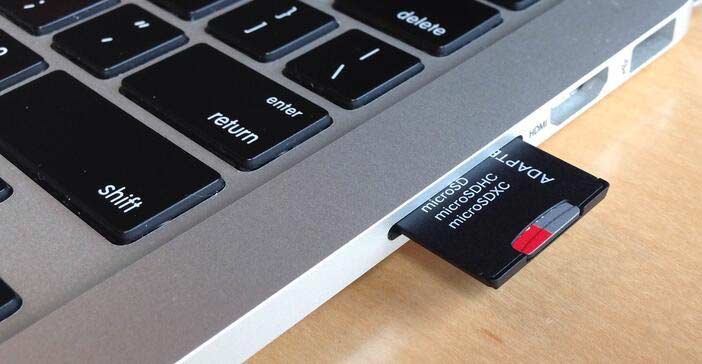
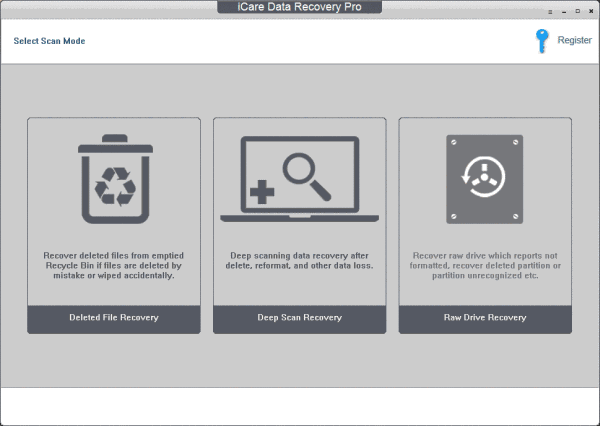
Step1: Download iCare Recovery Free for Windows. Install it on Windows computer. Connect sd card with a card adaptor to a PC. 'Deep Scan Recovery' would work for formatted sd card recovery.
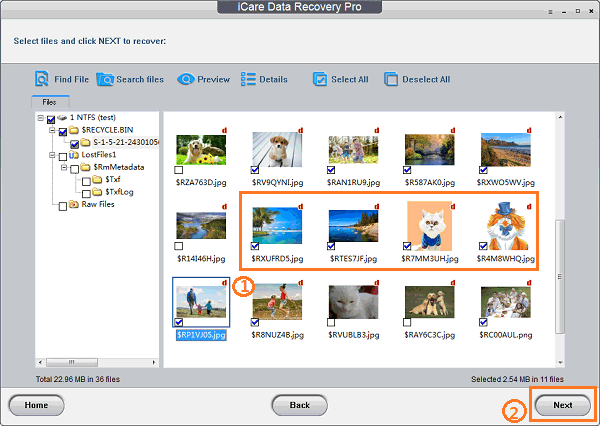
Step2: Select the sd card and then click "Next" to search files from formatted sd/microSD.

Step3: You may click "Preview" button that would show a list of lost pictures after you click the folders from the left column, and then select the files to save onto another drive other than the sd card itself.
Can I Recover Formatted SD Card with CMD Command Prompt?
First of all, I have to be frank that CMD does not work efficiently for recovering formatted sd card files. This command usually works for corrupted SD card fix when formatting cannot repair the problem.
You may start recovering formatted sd card using cmd with the following steps.
- Connect your SD card to Windows computer, and remember its drive letter in your computer.
- And then click Start > Run > type CMD
- Open command prompt window where you can enter CHKDSK /f/r [driveletter] (e.g. chkdsk /f/r i:).
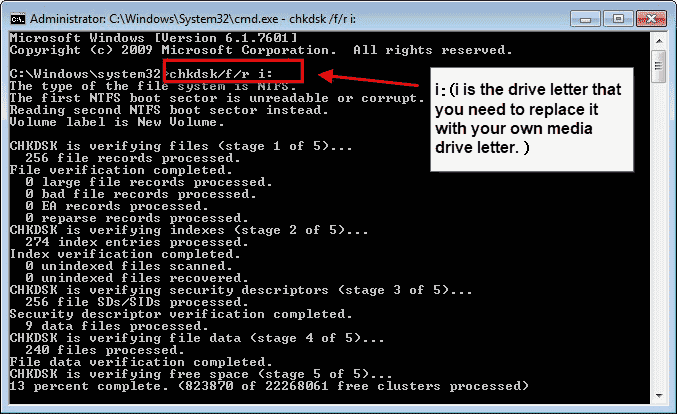
If you do not want to format an SD card that is corrupted, you can run CMD to scan and fix the problem.
Formatted SD card data can be restored if you
- Mistakenly formatted a phone/camera SD, microSD, or memory card due to manual errors.
- Quickly formatted an SD card (SDHC, SDXC, microSD, miniSD...)
- Fully/completely formatted an SD card, regardless of the brand (SanDisk, Samsung, PNY).
- Reformatted an SD media card two or several times but haven't saved much data onto the memory card.
- Accidentally erased/formatted the SD card on an Android phone or camera.
- Intentionally formatted the SD card but later discovered it had no backup.
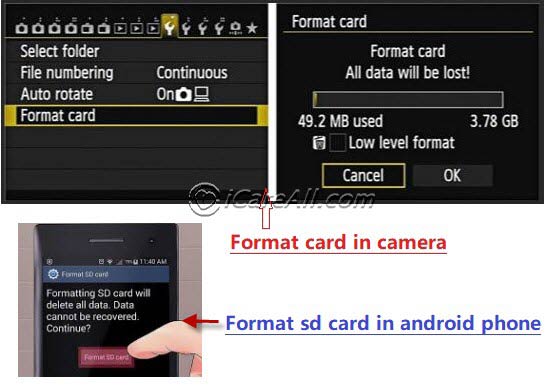
Or if the memory card sdhc sdxc suffered some of the following problems
- Android mobile SD memory card (SDHC, SDXC) is blank and asking for format.
- Corrupted SD card displaying a blank screen and asking/showing a format prompt on an Android cellphone.
- Mobile phone/camera SD memory card is asking/requiring formatting.
- Unable to format the media card (SD), or Windows is unable to/cannot format the SD card.
- The SD card was not safely/properly removed.
- SD card changed to a raw file system, prompting a format.
- Format problem due to SD card damage, corruption, virus infection, or unknown error.
Solution: Formatted SD Recovery Software Download
The formatting won't wipe/erase the data before new data occupies their old places until you save some new files to the same SD after formatting. Even if you twice formatted the SD card or formatted the SD/microSD card several times, the deleted data can still be restored.
The best way to undo SD card formatting is to refrain from further use before it is recovered. So, stop using the media card right away. Use the read-only program iCare Recovery Free, which is 100% safe and won't write data to the formatted SD card. (*Read-only means it only reads data from the SD card and won't write a single piece of data to the SD card, providing 100% data safety.)
Free Formatted SD/MicroSD Recovery Online
The DIY format recovery tool can assist with online recovery to restore data from a memory card when you accidentally reformatted the memory card or made a mistake, or when the SD memory card indicates a need for formatting. With its user-friendly interface, cost-effectiveness, speed, privacy features, step-by-step guidance, versatility, positive user reviews, and prevention of further data loss, it assures reliable and efficient data recovery, readily accessible online.What Happens When You Format an SD Card?
When you format an SD card, the system marks the card space as available for new data storage, but the original files are not completely erased. After formatting, the SD card will appear as an empty device, and all data will become invisible.
Is Data Permanently Deleted After Formatting an SD Card?
Formatting does not mean that all data is wiped out forever. Only if you don't write any new data to the card will the original data remain intact. However, you won't be able to access them without professional software.
Can I Restore Files from Formatted SD Card on Android Phone or Digital Camera without Computer?
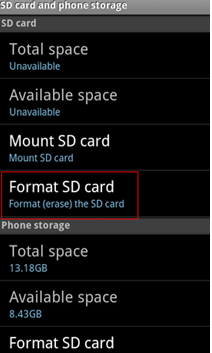
Shortened solution: Use freeware like Restore Image or DiskDigger to recover files from a formatted SD card on a mobile phone. These are Android-compatible recovery apps. However, be cautious as it's not 100% safe due to potential data overwriting during the recovery process
As to camera users, there is no undo sd card format option in the camera. You need to pull the sd card out of the device, and then connect it to a computer for a recovery.
Digital cameras are common devices for capturing photos, often storing them on various cards such as SD cards, flash cards, CF cards, memory cards, USB cards, etc. These cards serve as additional storage for digital cameras or phones.
If you have mistakenly formatted an SD card and lost important data, you are not alone. Many camera users face the same issue. It's advisable not to take any more photos once you've formatted the SD card and realized you still have important pictures there.
The best way is to keep it alone and connect the camera to a computer and run a format recovery software like iCare Recovery Free to unformat SD storage card.
Also read: formatted memory card recovery
Last updated on Aug 22, 2025
Hot Articles